Signatures you can stand behind
Send a PDF to one signer or several, in order or all at once, and choose how firmly each one proves who they are.
Drop a contract here
Your file stays on this device until you sign in.
Three levels of verification
Pick the level for each request. The audit trail records which one was used.
Private link
The signer opens a link sent only to their email address.
Recorded: when it was opened and signed, and from where.
No verification charge
Emailed code
The signer also enters a 6-digit code sent to their email before the document opens.
Recorded: that the code was issued and entered.
No verification charge
Government ID
The signer shows a government ID and takes a selfie. They cannot sign until the check passes.
Recorded: the outcome, the document type and country, the name on the ID and the face-match score.
100 credits for each signer, paid by the sender
Set up a request and watch it run
The same choices the send wizard gives you.
Signers
Signing order
How each signer is verified
- Signer 1Ready
- Signer 2Waiting for their turn
What each signer does
- Opens the private link in their email. No account needed.
- Enters the 6-digit code we email them.
- Agrees to sign electronically.
- Draws their signature and fills their fields.
A walk-through of the send wizard. Nothing here is sent.
What signing feels like
Signers draw their signature on a phone or a computer. Try it.
Try the signature pad
This pad is a demo. Nothing you draw here is saved or sent.
What you work in every day
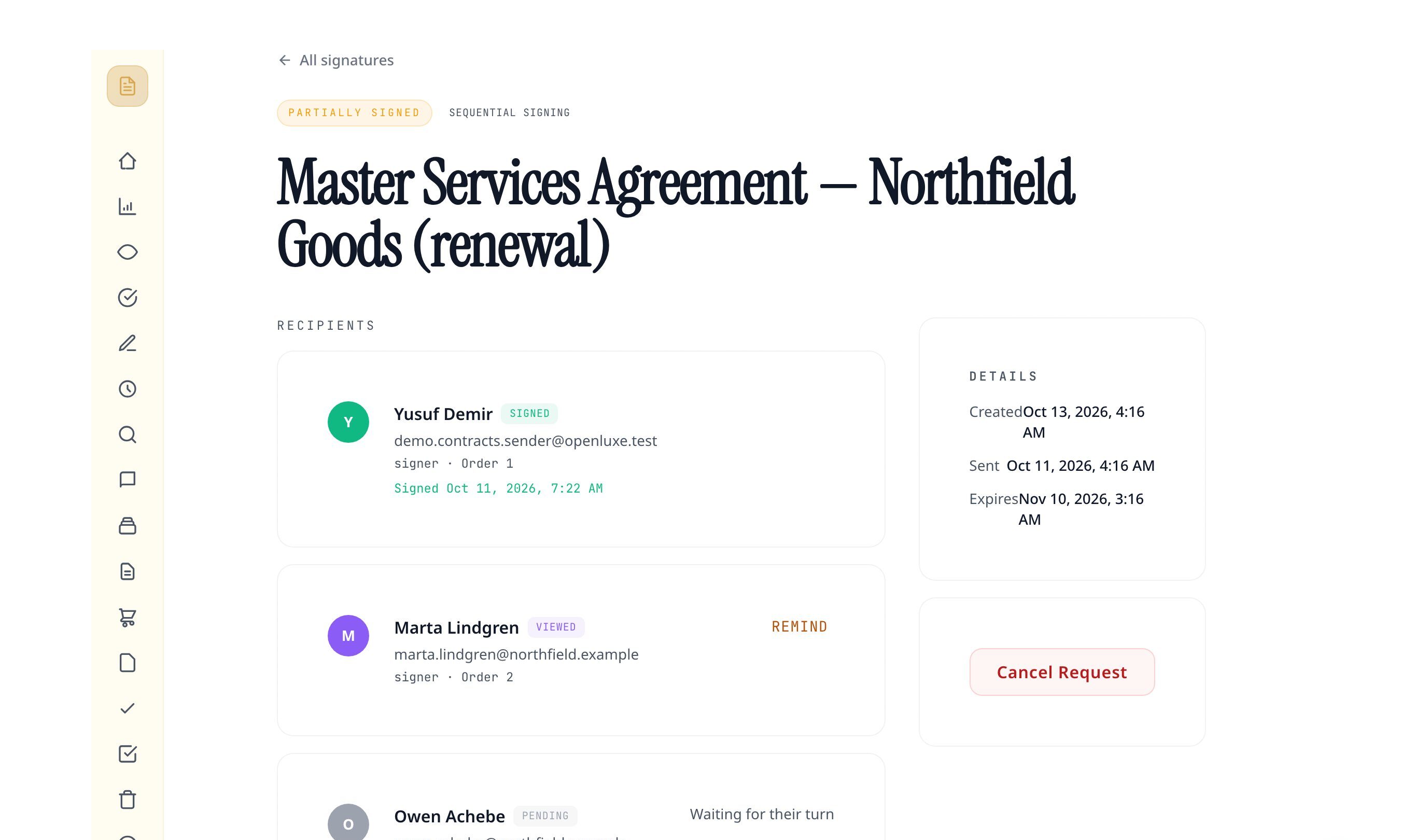
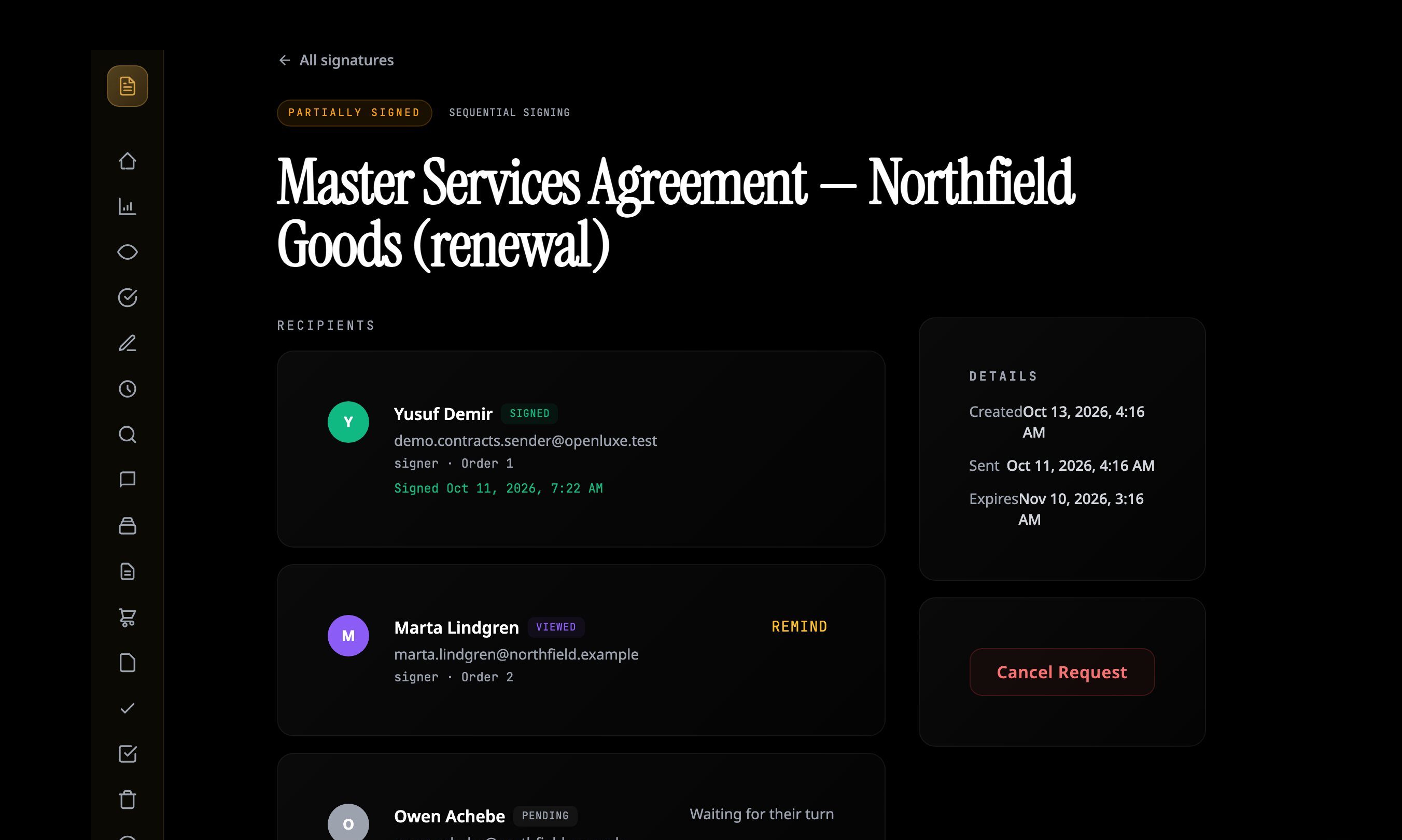
Real screens from a demo account with sample contracts. No mockups.


What every request includes
Signing order
Send to everyone at once, or one after another so each signer is asked only when it is their turn.
Signers, approvers and viewers
Not everyone on a request signs. Add people who only approve or only receive a copy.
Automatic reminders
A reminder after 3 days, then every 4 days, up to 3. Or send one yourself.
Decline or hand off
A signer can decline, or pass the request to the person who should sign.
Attorney review on request
A signer who wants a lawyer to look first can ask for a review from the signing page.
Audit trail and certificate
Every step is logged. When the last signer finishes, everyone can download the signed copy and its certificate.
Questions people ask first
Are signatures collected here valid?
Each signer agrees to sign electronically before they sign, which is the consent model of the U.S. ESIGN Act and UETA. Every request keeps an audit trail and produces a completion certificate. Some documents, such as wills, have their own rules, so check with an attorney when it matters.
Do signers need an account?
No. Each signer gets a private link by email and signs from that page on a phone or a computer.
How do I know the right person signed?
Choose the level per request: the private link alone, a 6-digit code sent to the signer's email, or a government ID check with a selfie. The ID check costs the sender 100 credits for each signer.
What is kept from a government ID check?
The outcome, the document type and country, the name on the document and the face-match score go on the request's audit trail. No image of the ID is fetched or stored by OpenLuxe.
Can people sign in a set order?
Yes. In order, each signer is emailed only after the one before them has signed. All at once, everyone is emailed together.
Do signers get reminded?
Yes. The first reminder goes out after 3 days, then one every 4 days, up to 3 in total. You can also send one yourself from the request.
The rest of Contracts

Bring the next contract here
Start with the one on your desk.
Atticus is an AI assistant, not a law firm, and OpenLuxe does not give legal advice. Have an attorney review anything that matters before you sign or send it.
Shown: a demo account with sample contracts and fictional names.
